
Preaching & Presentation
KingdomCome
Sermon notes that cue slides.
Preach From the Notes You Wrote
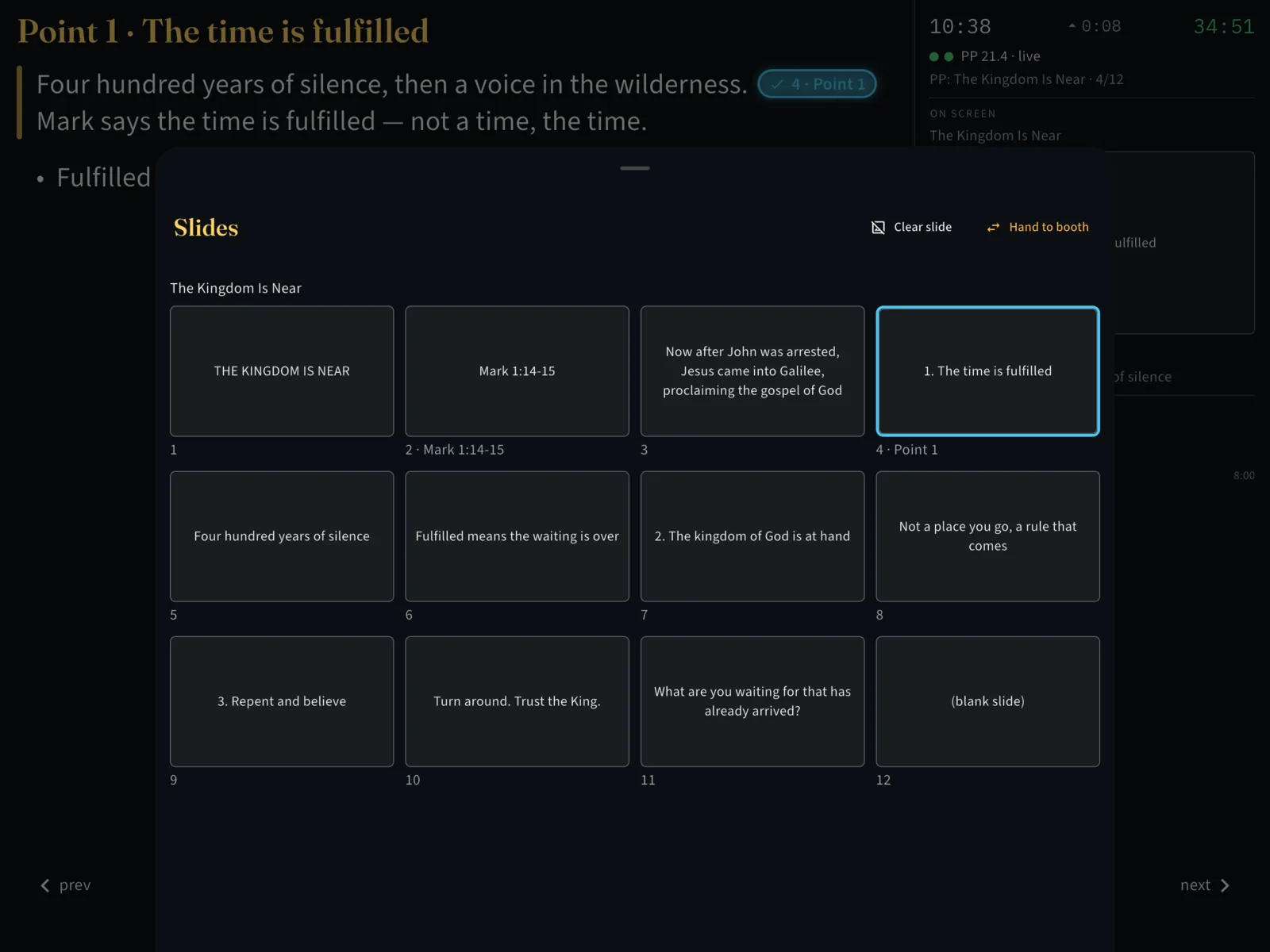
KingdomCome is a sermon notebook for the person preaching. You write the sermon in it, mark the places where a slide belongs, and preach from the same document. When you reach a marked line, the slide goes up on your church’s ProPresenter.
It’s coming soon to the App Store for iPad as KingdomCome Pulpit.
Write the Sermon
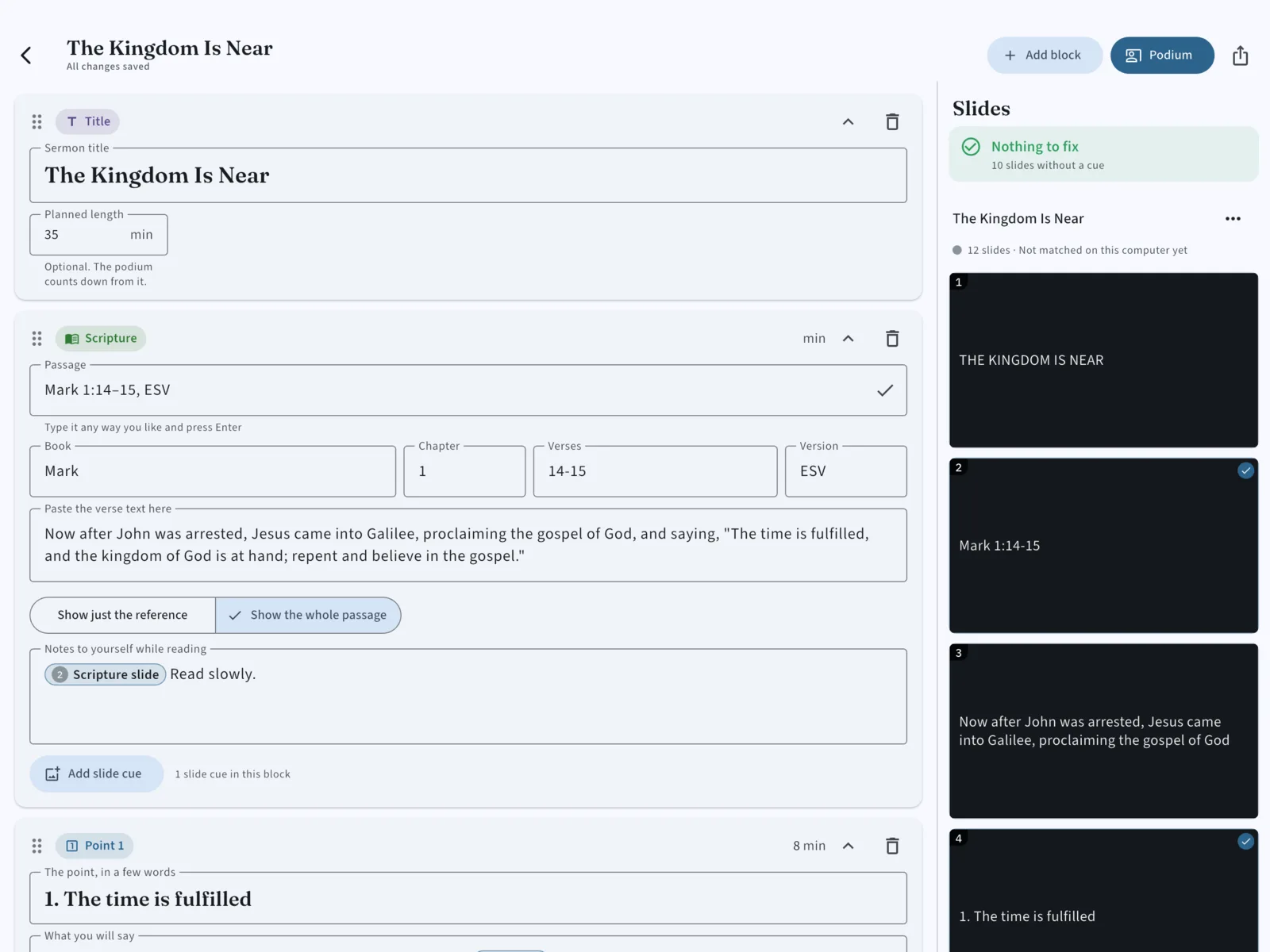
- Blocks, not a blank page — a point, a passage of Scripture, an application, an illustration. Any block can carry a slide cue.
- Scripture stays with its reference — type the passage and keep the verse text beside it.
- A planned length — set how long you mean to preach, and the podium counts down from it.
- Made for the lectern — readable at arm’s length, in a dark room.
On Sunday
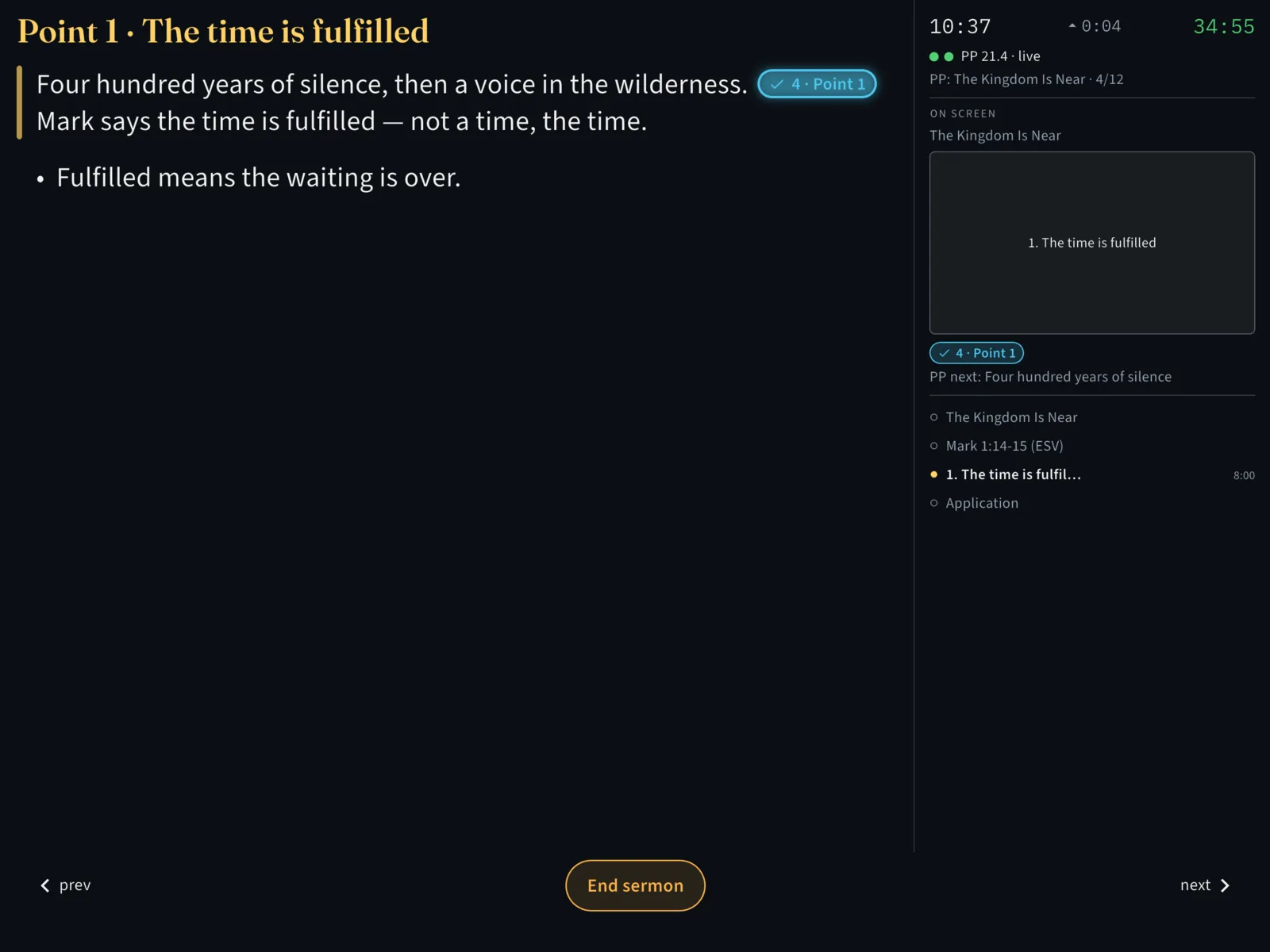
The podium shows the next part of your sermon, what’s on the screen now, what’s coming next, how long you’ve been preaching, and how long you planned. Pass a cue and the slide goes up. Three ways to work:
- Lead — the app changes the slides as you pass each cue.
- Follow — the booth changes the slides, as it always has, and your notes keep pace with what they’re showing.
- Solo — practice with no booth at all.
Know It Works Before You Start
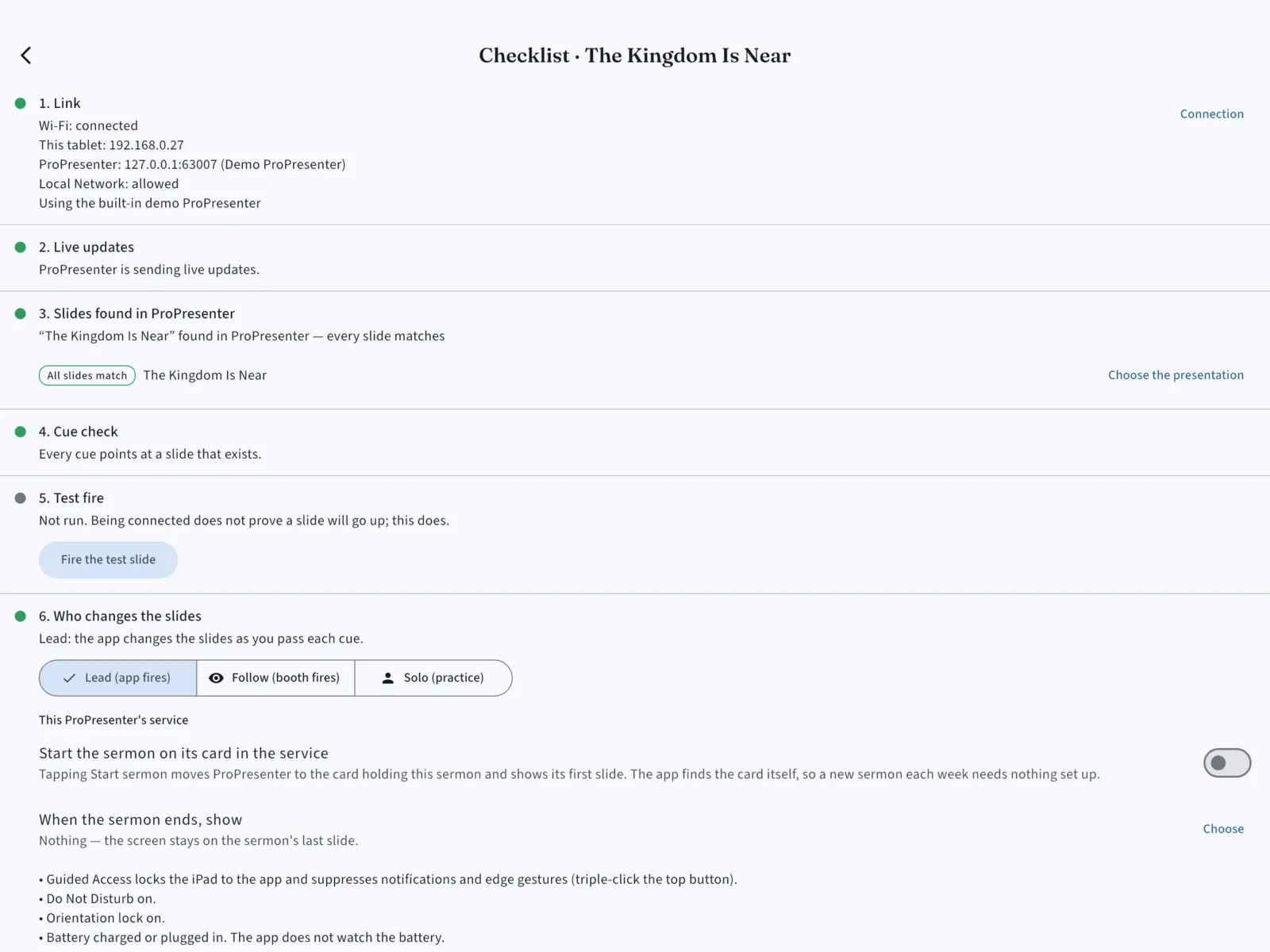
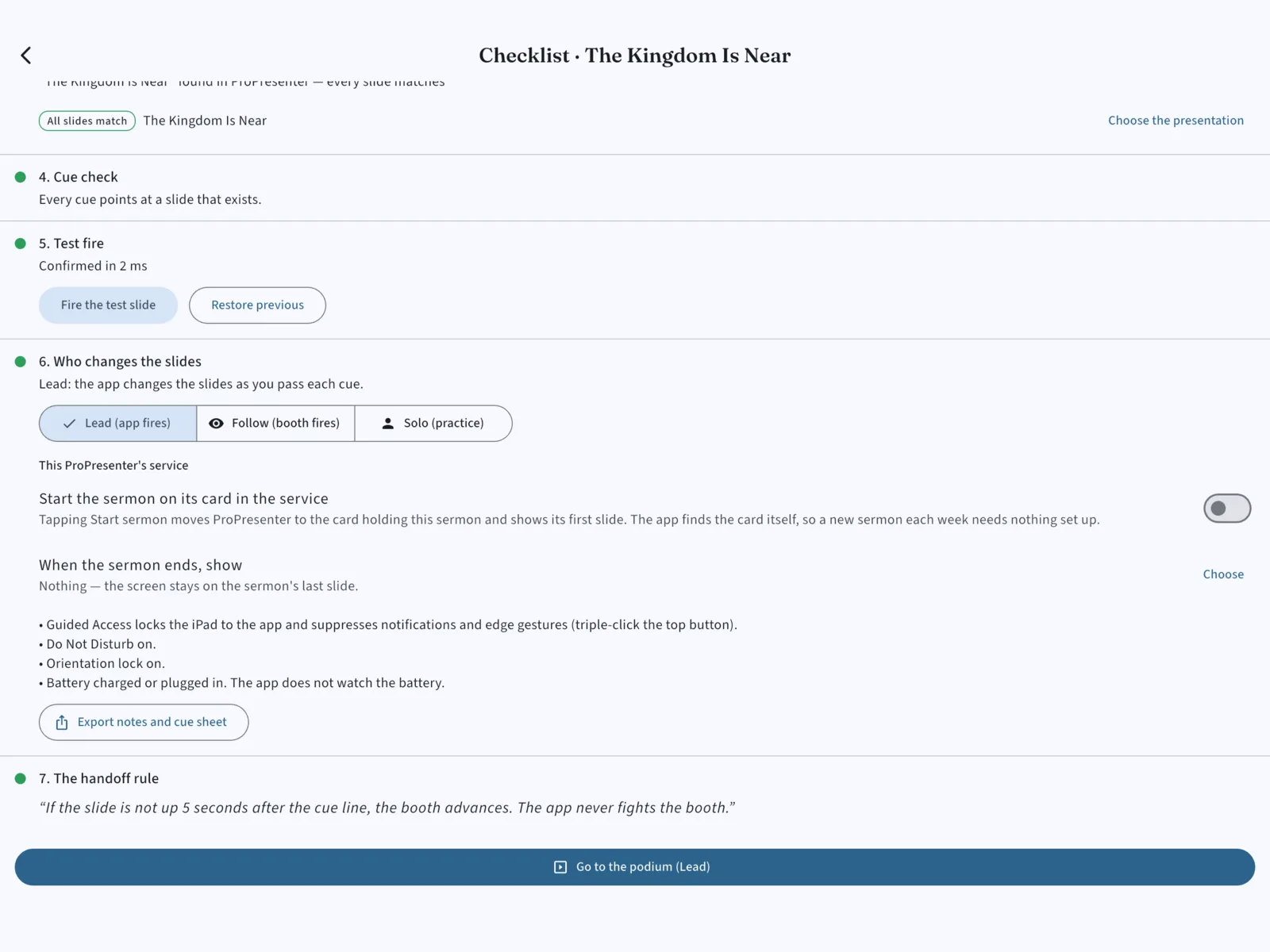
The Sunday checklist finds the booth, matches every slide of your deck against the presentation loaded in ProPresenter, checks that every cue points at a slide that exists, and fires one test slide — so you’ve seen a slide go up before the service rather than during it. If something is wrong, it tells you which thing, in plain words.
It Doesn’t Fight the Booth
If the person at the booth changes the slide, KingdomCome notices and doesn’t argue. If it loses ProPresenter, cues stop and you keep preaching from your notes — nothing is replayed at you when the network comes back. It never advances a slide you didn’t ask for.
Share a Sermon
Send a sermon to another preacher as a file, with its slides, its cue sheet, and a note of who wrote it and how it may be used. Opening one shows where it came from before anything is added to your library.
What You Need
- An iPad running iPadOS 15 or later.
- ProPresenter 18.2 or newer on the church computer, with Network turned on (ProPresenter → Settings → Network). Version 21.2 or newer is best. Versions back to 7.9.2 can connect, but slide cues need 18.2.
- Both on the same church network — the staff network, not the guest Wi-Fi.
- Nothing to install on the booth computer. No account, no sign-in.
No booth handy? A demo ProPresenter is built into the app, so you can write a sermon, set its cues, and rehearse the whole thing anywhere.
Privacy
Your sermons stay on your iPad. There’s no account, and nothing is uploaded to us — KingdomCome talks only to the ProPresenter on your own network. Read the full privacy policy, or get help on the support page.
KingdomCome is an independent app. It is not affiliated with, authorized by, or endorsed by Renewed Vision. ProPresenter is a trademark of Renewed Vision.